Timeline Tower Designer
Open the Timeline Tower Designer →
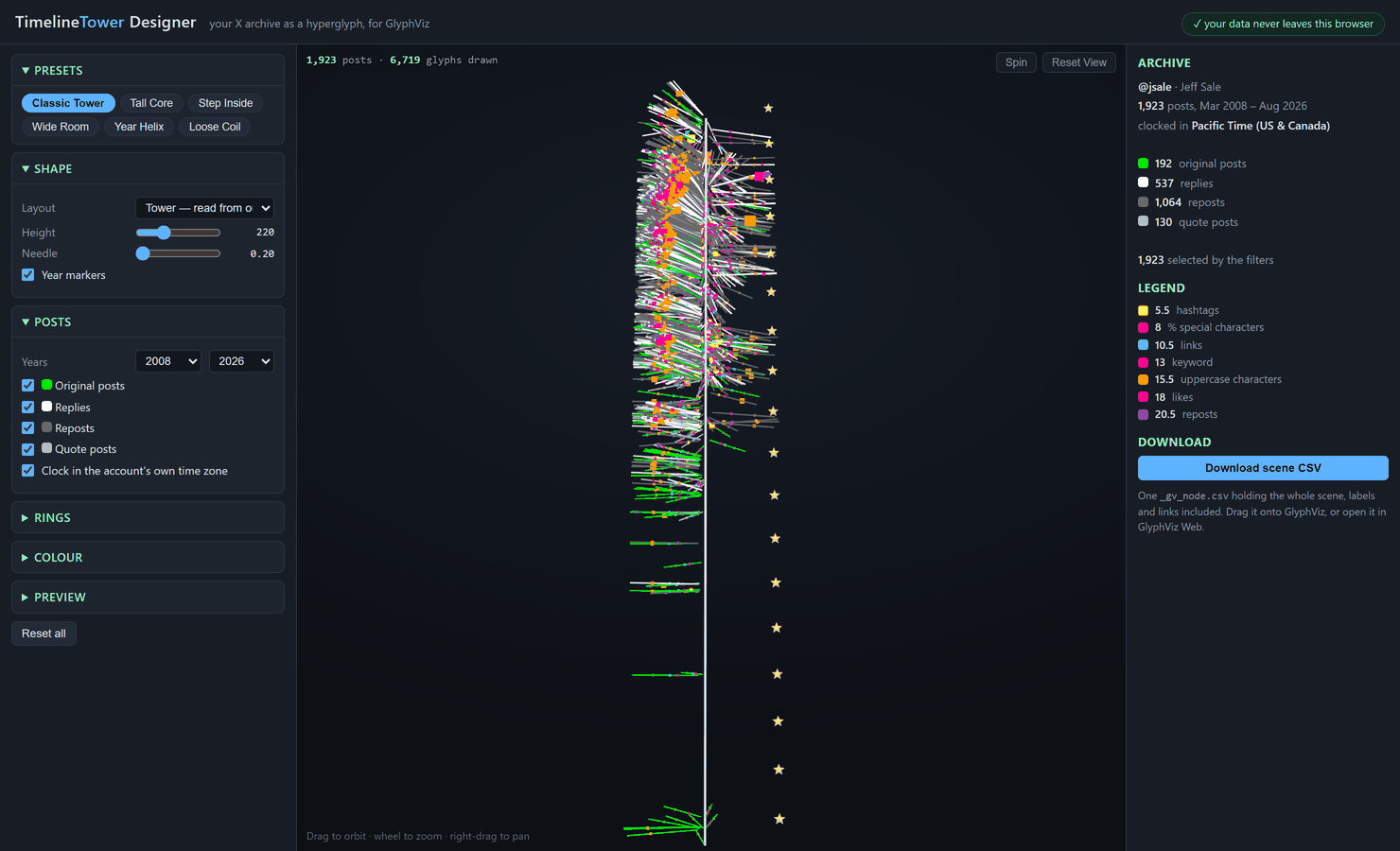
A browser tool that turns your X (Twitter) archive into a Timeline Tower — a single hyperglyph of everything you have ever posted, which you can then open in GlyphViz, fly through, and stand inside in VR.
Nothing to install, and nothing is uploaded. The page reads your archive through the browser's own file API and never sends it anywhere; it has no network code in it at all and works with the machine offline.
What a Timeline Tower is
Every post becomes a needle radiating from a vertical time axis:
| Channel | Meaning |
|---|---|
| height | when it was posted — oldest at the base, newest at the top |
| bearing | what time of day it was posted, as a 24-hour clock face |
| needle color | what kind of post it was |
and each needle carries concentric rings of measurement at fixed radii. That last part is what makes the tower a reading rather than a picture: because a ring always sits at the same distance from the axis, one ring followed up the whole tower is one variable followed across a whole life.
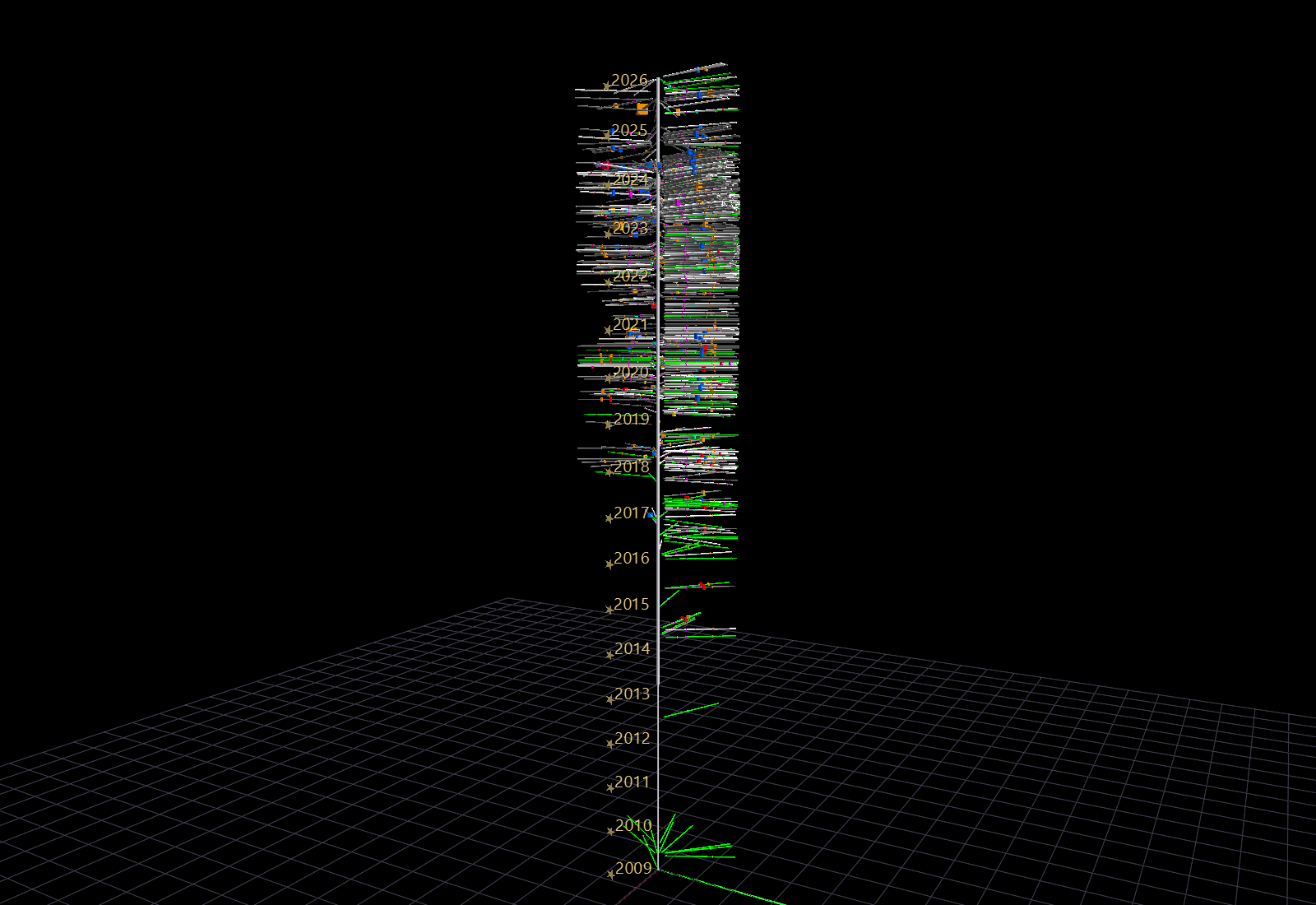
The design is older than GlyphViz — it was first built for ANTz in 2018, against the Twitter API — and the color vocabulary is unchanged from that original legend.
Needle color
| Color | Kind |
|---|---|
| green | original post |
| white | reply |
| dark gray | repost |
| light gray | quote post |
Rings, innermost to outermost
| Radius | Color | Measures |
|---|---|---|
| 5.5 | yellow | hashtags |
| 8.0 | magenta | % special characters |
| 10.5 | cyan | links |
| 13.0 | red / blue | keyword 1 / keyword 2 hit |
| 15.5 | orange | uppercase characters |
| 18.0 | pink | likes |
| 20.5 | violet | reposts |
A ring is drawn only when it has something to measure, so an absent ring reads as a zero — which is what it is. Counts that span orders of magnitude (likes, reposts) are sized logarithmically, so one viral post enlarges its own ring without flattening every ordinary one.
Every node in the scene is labelled with what it encodes, and every one carries a link back to the post itself — so U (or Alt+click) on any needle opens that actual post on X. See Tags and labels.
Getting your archive
- On X: Settings → Your account → Download an archive of your data.
- X emails you a
.zipwhen it is ready. This commonly takes a day or two. - Unpack it. Inside is a
datafolder. - Drop that
datafolder onto the designer.
The tool needs tweets.js. It also uses account.js, profile.js and
account-timezone.js when they are present, to name the account and to clock
the tower in the account's own time zone rather than UTC. You can drop
tweets.js on its own if you prefer.
Try it without waiting
X takes a day or two to send an archive, and the one it sends is yours. These
two are public-account archives in the same format, ready to drop on the
designer — unpack either and drop the data folder inside it.
Demo archive — @CNN (522 KB) Demo archive — @JLo (482 KB)
They are a deliberately contrasting pair, and it is worth loading both:
- @CNN — 3,248 posts across five weeks of November–December 2021. A
newsroom firehose, so the tower is short, extremely dense, and its shape is
the working day: thinnest around 3am, thickest through the afternoon and
evening. Almost every post is an original, which leaves the needle color
nearly uniform and puts the whole story in the rings. Try the keywords
covidandclimate. - @JLo — 3,218 posts across two and a half years, April 2019 to December
- Sparse and long, so the tower's shape is the calendar instead, and
all four post kinds are present in quantity (1,516 reposts, 1,018 originals,
423 quotes, 261 replies) — this is the one that shows what the needle colors
are for. Worth rendering as a helix, where one turn per year stacks the
same week of three different years vertically. Try
loveandmusic.
These are rebuilt from the API, not downloaded from X
Both were converted from public v2 API timelines into the archive's own
file format. Two things the API could not supply, so the demos cannot
either: a repost's text is truncated at ~140 characters (so a repost's
uppercase and special-character rings measure the truncation — every post
either account actually wrote is complete), and media attachments are
absent. Each zip states this in its own README, and the converter is
twitter_lab/v2_to_archive.py in the repository.
Their size is itself a demonstration of the point below: both stop just past 3,200 posts because that is exactly where the API stopped.
Why the archive, and not the API
The X archive is both complete and richer than what the API returned. The API capped a user timeline at the last 3,200 posts, and the 2018 original could not read a per-post repost count — which is why the reposts ring exists here and did not then.
The three layouts
All three share the same time mapping and differ only in the shape time is wound onto.
The classic form: a straight vertical axis with the needles pointing outward, read from the outside like a core sample. This is the one that photographs well.
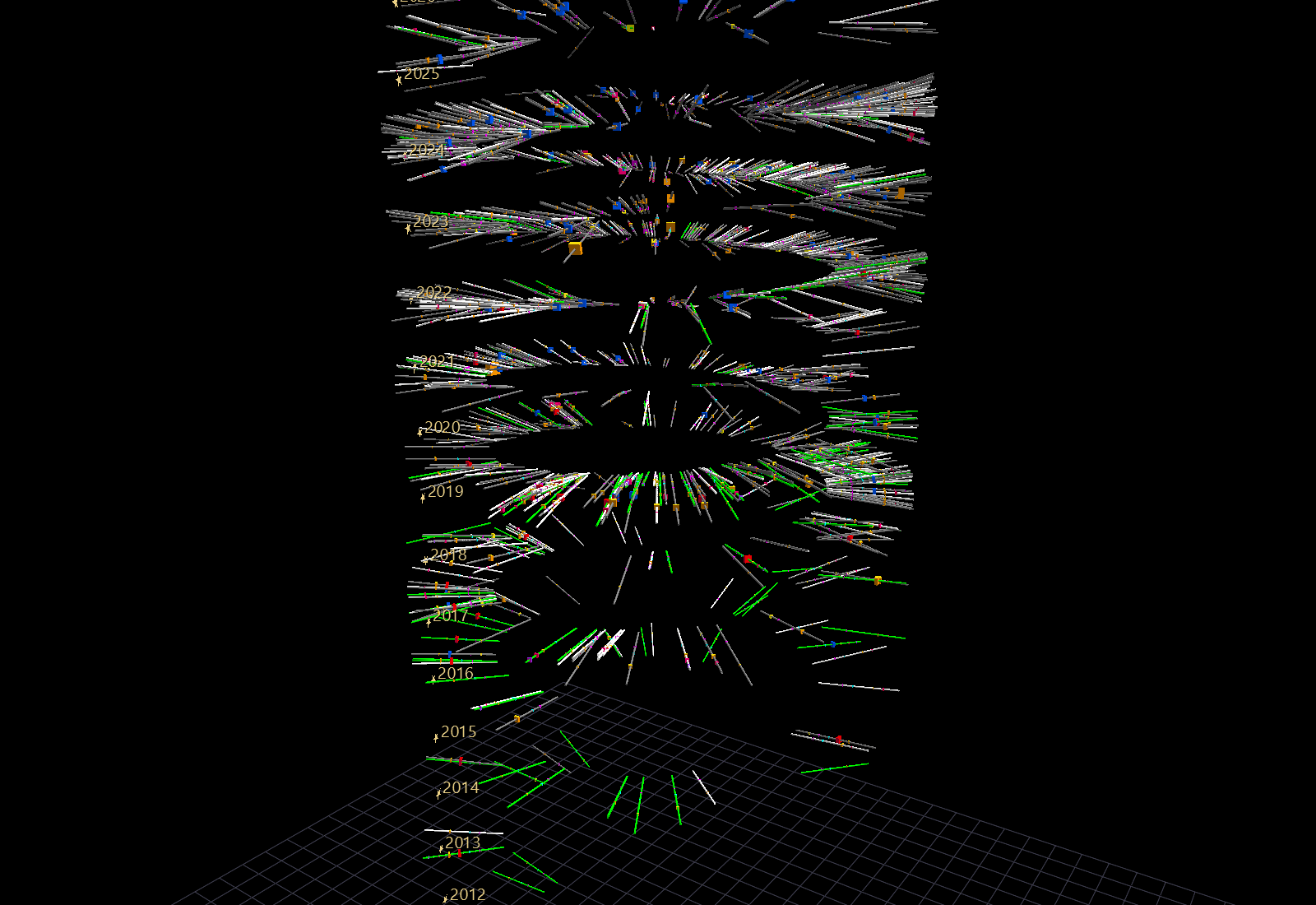
The same tower turned inside out. The axis becomes a cylindrical wall out around you and the needles hang inward, so you stand at the centre of your own history and the record surrounds you. Built for VR — a marker on the floor shows where the account starts, and you climb through time.
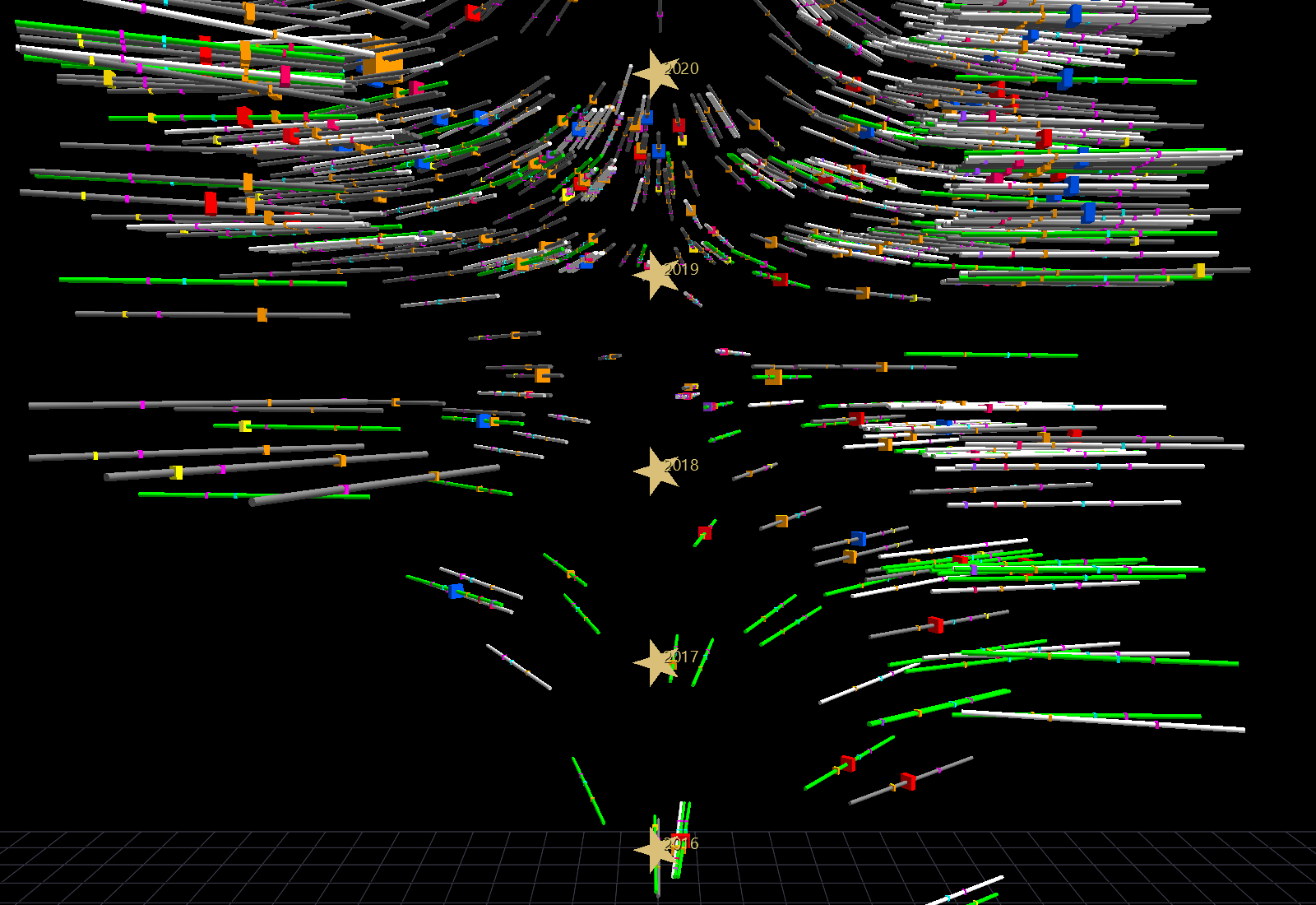
Time wound as a spiral, one turn per year, so seasons stack vertically and the record never doubles back on itself. It reads like tree rings. Time of day survives as the needle's pitch: dawn dips, midnight rises.
The controls
| Group | What it does |
|---|---|
| Presets | Six starting points, two per layout. |
| Shape | Layout, overall height, needle thickness, year markers. The radius controls change with the layout, since only some apply — the helix takes its height from its rise per year, so that a longer account grows taller rather than winding tighter. |
| Posts | Which years, and which kinds of post, take part. Turning off reposts is the single biggest change most archives can make. Also the time-zone clock. |
| Rings | Which rings are drawn, plus the two keyword boxes. A keyword lights its ring red (first box) or blue (second) on every post whose text contains it. |
| Colour | The four post-kind colors, the background, and the label size. |
| Preview | How many posts the preview draws. |
The preview is sampled; the download is not
A large archive is sampled for the preview so the controls stay responsive. The downloaded scene always contains every post the filters let through, however low the preview is set.
Opening the result
Download scene CSV writes one _gv_node.csv holding the whole scene, labels
and links included — there is no companion file to keep track of. Then either:
- Drag it onto GlyphViz (see Drag and drop), or
- open it in GlyphViz Web, or
- put it in a scene folder and open it the usual way.
A tower of a few thousand posts is a scene of a few tens of thousands of nodes, which GlyphViz handles comfortably. If you want it lighter, turn off the rings you are not reading, or narrow the year range.
The command-line version
The designer is a port of twitter_lab/tut.py in the GlyphViz repository, which
is the reference implementation and which builds the same scenes from a
terminal:
python tut.py --archive path/to/twitter-2026-08-19/data --out DIR
python tut.py --archive DIR --out DIR --layout helix --keywords data,art
Use it for batches, for scripting, or when you want a layout parameter the page
does not expose. The two are kept in step by a harness that extracts the page's
own JavaScript and diffs every column of every node against the script's output;
see twitter_lab/README.md.
Privacy
The page makes no network requests of any kind. It has no fetch, no external
script, no font or asset loaded from anywhere else, and it runs from a file://
path with the machine offline. Your archive is read in the browser and stays
there.
It also deliberately ignores the parts of an X archive that a shared scene should not carry — direct messages, ad and device data, deleted posts.
A generated scene does contain your post text, in the labels. Treat one as being as public as the account it came from before you share it.