Protein Import (PDB)
GlyphViz's PDB import path: a synthetic ideal α-helix backbone, built from first principles with textbook bond geometry, imported directly as a molecular scene.
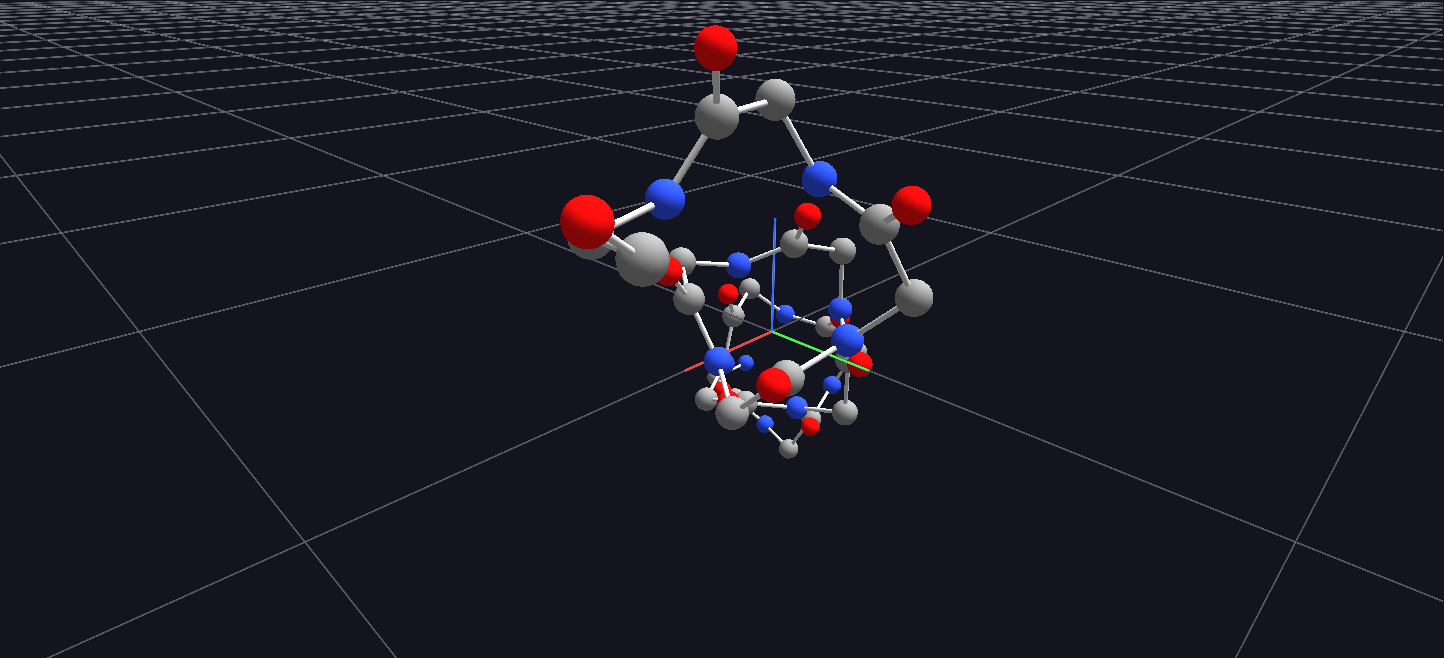
Try it: download this example below (or the full examples set), then use File → Import PDB File… to open Protein_Import_Example/alpha_helix_example.pdb — or drag the file onto the GlyphViz window.
What it is
A protein is a chain of atoms, and a PDB file is simply a list of where each atom sits in space. GlyphViz can read that list and turn it into a scene, one sphere per atom and one rod per chemical bond: a ball-and-stick molecule you can orbit, select and recolour like anything else in GlyphViz.
This example is the smallest useful test of that importer. The file is a short protein backbone, twelve residues of an ideal α-helix (48 atoms), and importing it gives you the familiar spiral of a helix in a few seconds.
What you see
| On screen | What it is |
|---|---|
| A sphere | one atom. Its colour is the standard element colour that molecular viewers use (CPK): grey for carbon, blue for nitrogen, red for oxygen, white for hydrogen, yellow for sulphur and so on |
| A rod between two spheres | a covalent bond, drawn as a cylinder link stretched between the two atoms |
| The spiral | the backbone repeats the same N, C-alpha, C, O pattern for each of the twelve residues and winds around a central axis, about 3.6 residues per full turn |
The helix is polyglycine: the simplest amino acid, with no side chains, so only the backbone is present. That keeps the picture clean, and shows the geometry you would find under the side chains of any real protein helix.
Orbit it end-on and the twelve residues wind round a central axis; look from the side and you see the regular rise of the spiral.
How the import works
A PDB file normally has no explicit bonds, and the importer does not rely on any. It finds bonds the way molecular viewers do: for every pair of atoms that are close, it compares their distance with the sum of their covalent radii, and joins them when the pair is within 20 percent of that sum. A spatial index finds the candidate pairs in near-linear time, so the same route works for a structure with hundreds of thousands of atoms. The atoms and bonds are then ordinary GlyphViz nodes: spheres of Sphere geometry, and Link nodes carrying Cylinder geometry. Each atom's size is a fraction of its covalent radius, so the bonds stay visible between the balls.
That has useful consequences:
- Everything works on the result. Select by geometry to pick all the bonds, change an atom's colour, move a group, or save the scene as a normal node CSV.
- You can restyle the bonds. Because a bond is a Link, switching its geometry to Line gives a thin wire model; thickening its ratio makes a chunkier stick.
- Only the first model is read. For a structure with several models, such as an NMR ensemble, the first one is imported.
Try it
Choose File → Import PDB File… and pick alpha_helix_example.pdb, or drag the file onto the window.
Then try your own: any structure from the Protein Data Bank (rcsb.org) can be downloaded as a .pdb file and imported the same way.
How the example was made
The file was built from first principles rather than downloaded from the Protein Data Bank. The generator, generate_protein_example.py, places each atom from textbook ideal bond lengths and angles and the ideal right-handed α-helix backbone angles (phi −57°, psi −47°), using the standard NeRF algorithm for turning internal coordinates into Cartesian ones. That means the file needs no download or licence, and its geometry is exactly what an ideal helix should be.